Central Inventory Software for Multi-Outlet Retail Chains
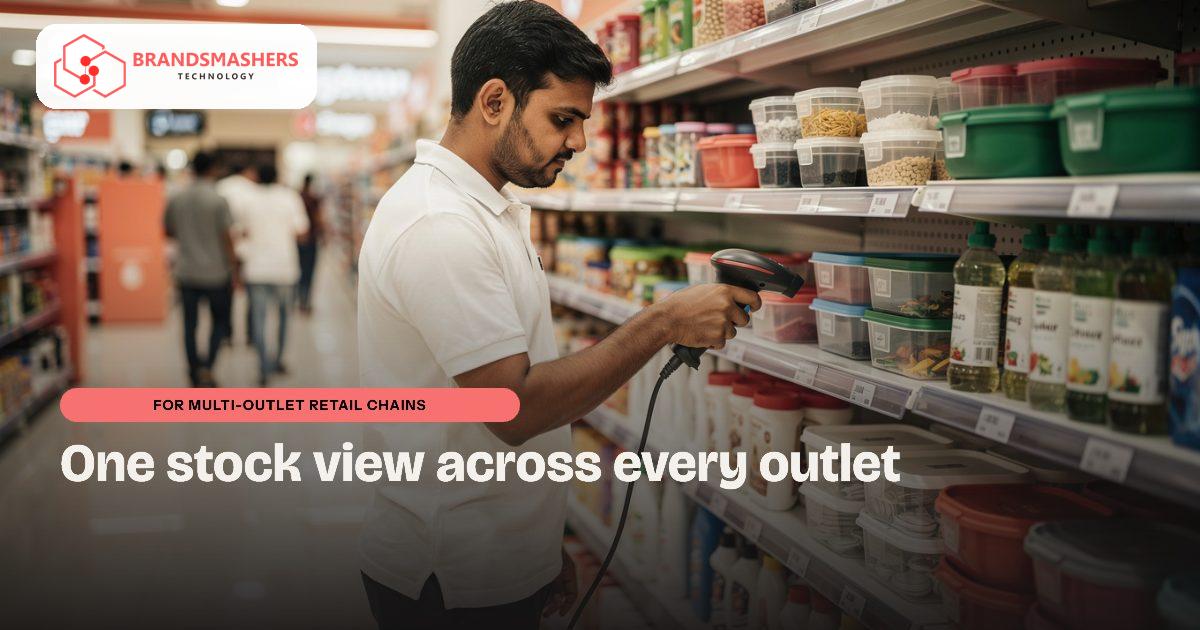
The second store is easy. By the fifth outlet, owners are asking the same questions every morning: what sold, what is low, and why is one branch overstocked while another keeps running out. Retail chains across Bhopal, Indore, Pune and beyond often answer those questions by phone calls and end-of-day Excel sheets.
01.Who this is for
This is for retail chains that have grown past a handful of outlets and now run each store with its own records. The signs show up every morning. The owner phones branch managers to ask what sold. End-of-day Excel sheets arrive late and do not match. One store is overstocked on an item that another keeps running out of, and transfers between branches happen on a call with nothing written down. Staff spend more time reconciling stock than serving customers.
02.Stock that lives in separate places
Each store keeps its own records, transfers between branches are informal, and the head office sees yesterday’s numbers a day late. Fast-moving items run out in one outlet while slow ones pile up in another. Staff spend time reconciling rather than selling.
03.What we build
A central inventory that every store updates through billing, with store-wise dashboards for sales, stock and transfers, and simple alerts when an item is low. Owners see all outlets in one screen, and store managers see their own. We can connect it to the billing and accounting tools you already use, with GST-ready invoice data, instead of forcing a full switch.

04.Where AI helps
Demand forecasting. Using each store’s own sales history, the system suggests how much of each item to reorder or move between outlets. It is a starting point for the buyer, who knows about festivals, local events and supplier delays that no model sees.
05.Phased delivery
We start with two or three stores and your top product categories, prove the numbers match reality, then roll out to the rest. That keeps risk small and makes staff training easier. A realistic first release matters more than a big plan. We would begin with central stock for two or three stores, build that single slice, put it in front of your staff and fix whatever they stumble on before adding anything else. Brandsmashers Tech is based in Bhopal, so we can sit at your counter in Bhopal or Indore instead of working only over calls. We use AI-assisted development to keep builds fast, and a person on our team reviews every release. Pricing depends on scope, so we quote after we have seen your process, not before. Ask any vendor who owns the data and whether you can export it at any time; we answer both in writing before work starts.
06.How a first version comes together
We prove the numbers in a small group of stores before the rest of the chain joins.
- 01We visit a head office desk and a few outlets to see how billing, stock counts and branch transfers are recorded today.
- 02We agree a first version covering central stock for a small set of stores and your top product categories.
- 03Store managers and billing staff test it during normal trading, and we check that system stock matches what is on the shelf.
- 04Store-wise dashboards, low-stock alerts and a recorded transfer flow are added once those first stores trust the figures.
- 05Demand forecasting comes after the sales history is clean, giving buyers reorder and transfer suggestions they can accept or change.
07.Questions buyers ask
- What does multi-outlet retail inventory software in India show the owner?
- It shows sales, stock and transfers for every outlet on one screen, updated through billing. Owners see the whole chain, store managers see their own branch, and simple alerts flag items that are running low. That replaces the morning round of phone calls and late spreadsheets. Store managers stop spending the end of the day building sheets for head office.
- Do we need to replace our billing software?
- Not necessarily. We can connect the central inventory to the billing and accounting tools you already use, with GST-ready invoice data, instead of forcing a full switch. Where a tool cannot connect cleanly, we explain the options before any work begins. Keeping what already works reduces retraining at the billing counter.
- Can we start with a few stores?
- Yes, and we recommend it. We start with a small set of stores and your top categories, prove the numbers match reality, then roll out to the rest. That keeps risk small and makes staff training easier at each new outlet. Each new outlet then joins a system that has already been checked against real stock.
- How reliable is the demand forecast?
- Treat it as a starting point for the buyer. It uses each store's own sales history to suggest reorder quantities and transfers. Your buyer still knows about festivals, local events and supplier delays that no model sees, and makes the final call on every order. Buyers who see why a suggestion was made can judge it faster and with more confidence.
Next step: Pick one product that is overstocked in one store and short in another. Share the numbers and we will show how a central view would have caught it. Talk to Brandsmashers Tech
NEXT STEP
Need help with this?
KEEP READING