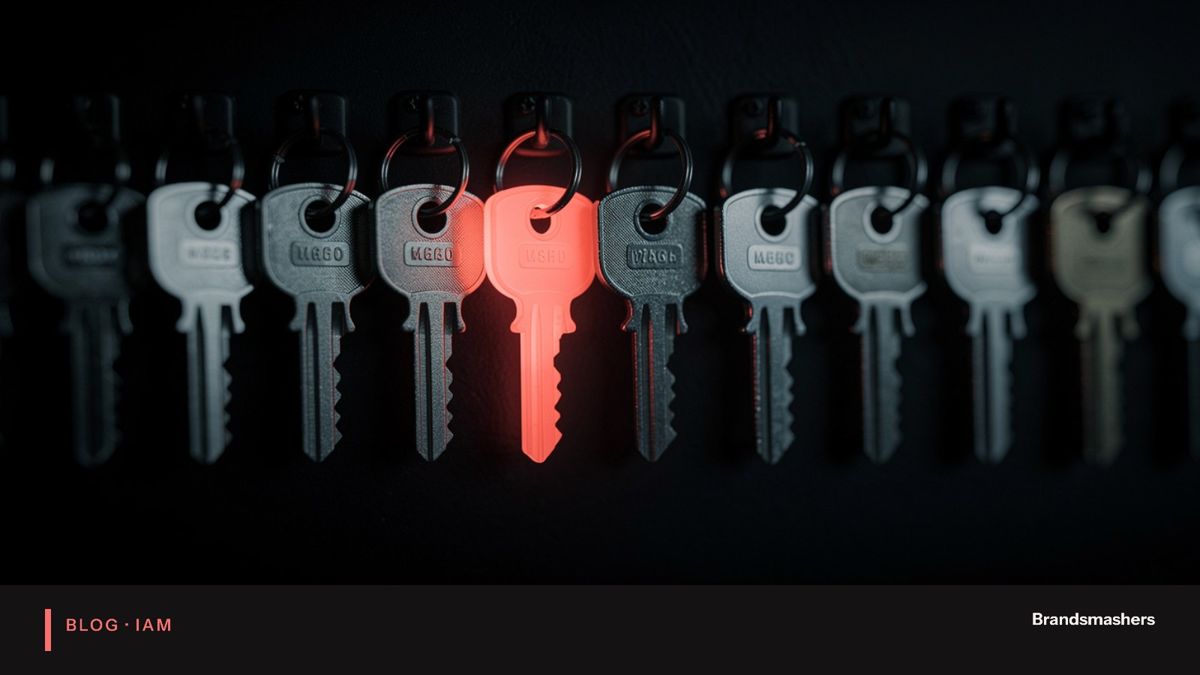
IAM mistakes that lead to the most preventable breaches
Most breaches that get a dramatic headline have an undramatic cause. Someone left the company and their account stayed active. An admin role was given for a project and never removed. A service account had a password that nobody had changed in years. None of this needs a clever attacker. It needs one open door and some patience.

Most breaches that get a dramatic headline have an undramatic cause. Someone left the company and their account stayed active. An admin role was given for a project and never removed. A service account had a password that nobody had changed in years. None of this needs a clever attacker. It needs one open door and some patience.
The thesis: the most preventable breaches come from a short list of identity mistakes. They are boring, common and fixable. If you fix the first three this quarter, you remove most of the easy routes in.
01.1. Accounts that stay active after people leave
When someone leaves, HR knows. The email team may know. But the dozen other apps they used often do not. Those accounts remain, with working passwords, and nobody is watching them. A former employee, or anyone who finds their old credentials, can sign in.
The cause is usually a manual process. A leaver checklist depends on someone remembering every app. It breaks the moment the person who knew the apps is on leave. It also misses contractors, who often never appear in the HR system at all.
Fix: connect your HR system to your directory so a leaver event disables the main account at once. Use single sign-on so that disabling one account cuts access to the connected apps. List the apps that are not connected and handle them by hand until they are. Give contractors an end date on day one.
02.2. Admin rights granted and never reviewed
Admin rights are handed out in a hurry. Someone needs to fix something, so they get the role. The task ends. The role stays. Over a few years you end up with many more admins than you think, including people who have changed jobs and no longer need any of it.
This is called privilege creep. It matters because the damage from a stolen account scales with what that account can do. A compromised ordinary user is a bad day. A compromised global admin is a very bad month.
Fix: run an access review for every admin role. Ask each manager to confirm or remove. Then make elevated access temporary where you can, so it expires unless renewed. Keep a short list of who holds each admin role and why.
03.3. MFA missing on admin or service accounts
This is the mistake that surprises people. A company will announce multi-factor authentication for all staff, then leave admin accounts and old service accounts out because the rollout was awkward. Those are the very accounts an attacker most wants.
Fix: put admins first, not last. For service accounts, where a person cannot approve a prompt, use other controls: store credentials in a vault, rotate them, restrict where they can be used from and give them only the permissions they need. Use phishing-resistant methods such as hardware keys or passkeys for the people with the most power.
04.4. Shared accounts and shared passwords
A shared login for the finance tool, the social media page or the server console is convenient. It is also anonymous. If something goes wrong, you cannot say who did it. When someone leaves, nobody changes the password.
Fix: give each person their own identity. Where a tool really only allows one login, put it in a vault with checkout and logging, and change the secret when people leave the team.
05.5. No review of third-party app access
Staff connect outside apps to company accounts with a click: calendar tools, note apps, AI assistants, form builders. Each one may gain read access to mail or files. Many are forgotten, and some come from vendors you have never assessed.
Fix: list the third-party apps with access to your tenant. Remove the unused ones. Set a policy that requires admin approval for apps requesting wide permissions, and review the list every quarter.
06.6. Several identity systems with different rules
Mergers, acquisitions and team-level tool choices leave you with more than one directory. Each has its own password rules, its own leaver process and its own gaps. An attacker only has to find the weakest one, and auditors will ask you to explain all of them.
Fix: plan consolidation to one source of truth. You do not need to do it in a month. Start by mapping accounts, finding duplicates and moving the highest-risk apps first.
07.How a small clean-up plays out
Imagine a services firm that runs a quick review. They export active accounts and compare them with the HR list for the last twelve months. A handful of leavers still have live accounts. They list admin roles and find several people who no longer need them. They check MFA coverage and find two old service accounts with no protection at all.
None of this takes a new product. It takes a few days of work, a spreadsheet, and someone with the authority to say "remove it". The firm then writes the process down so it repeats every quarter.
08.Why these mistakes survive
They survive because nobody owns them. HR owns the joiner and leaver records. IT owns the directory. Each app team owns its own settings. No one owns the gaps between them. A leaver falls into one of those gaps.
The remedy is plain ownership. Name one person responsible for the leaver process end to end, one for admin roles and one for third-party access. Give each a monthly slot to report numbers: leavers with live accounts, admins not reviewed and unused app grants. What gets reported tends to get fixed.
09.Measuring progress
Pick a few numbers and report them every month. Good ones are: leavers with an active account, accounts with no sign-in in ninety days, admin accounts without strong MFA and third-party apps with broad access. Each should fall over time. If a number rises, ask why, because a new gap has usually opened somewhere. Share the figures with leadership in plain words, so identity hygiene gets the same attention as patching.
10.Where to start if you only have a week
Spend day one exporting accounts and the HR leaver list. Spend day two on the comparison and a list of accounts to disable. Day three goes to admin roles and who holds them. Day four is MFA gaps on privileged accounts. Day five is writing up what you found, with an owner and a date against each fix. A week will not solve everything, but it produces a ranked list and a mandate to continue.
11.A short checklist for this quarter
- Count your admin accounts and name an owner for each.
- Turn on strong MFA for every admin account.
- Compare the HR leaver list against active accounts from the last year.
- Disable accounts with no recent sign-in, after checking with the owner.
- List apps with access to company data and remove the unused.
- Write down where service account secrets live.
12.Common mistakes when fixing these
- Treating it as a one-off clean-up, not a process. Run it again every quarter.
- Disabling accounts without checking owners, then breaking a payroll job.
- Buying a new tool before fixing the process around the old one.
- Leaving the exception list unowned. Every exception needs a name and an end date.
13.What to do next
Fix the first three this quarter. They are the cheapest to address and carry the most risk. Then move on to the rest in order.
Brandsmashers helps teams with this kind of work: access reviews, leaver automation, admin controls and directory consolidation. If it would help to talk through your starting point, we are glad to do that on a short call.
NEXT STEP
Need help with this?
KEEP READING